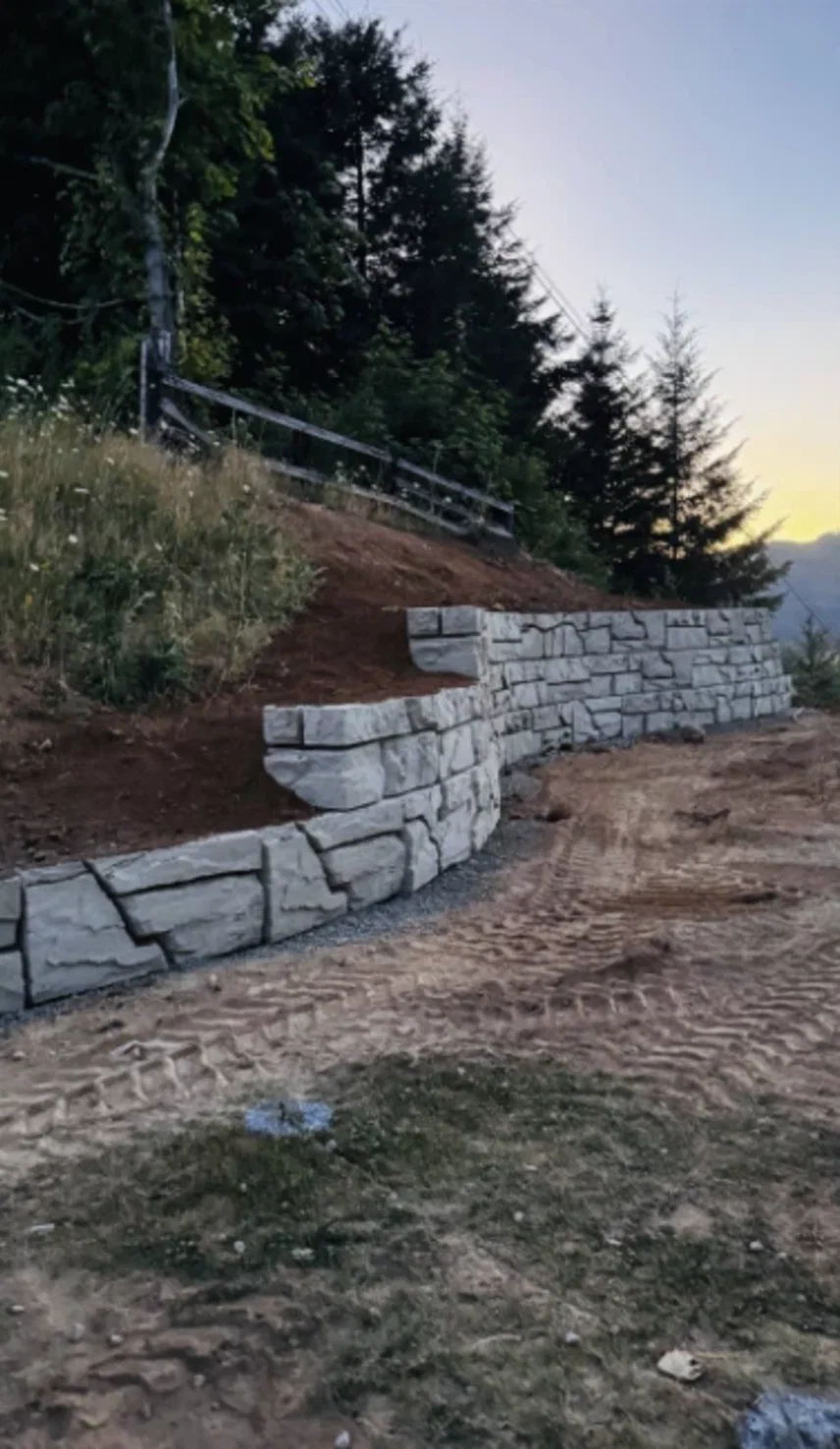
Verti-Block doesn't need its own software. If your office designs walls in GEO5, RSWall or Vespa, you can enter Verti-Block as a user-defined modular block and run the checks you already run. The inputs below come from the published Verti-Block detail sheets, each with its source.
Which program fits
| Program | Made by | How Verti-Block goes in | Global stability |
|---|---|---|---|
| GEO5 Prefab Wall | Fine Software | User-defined block | GEO5 Slope Stability |
| RSWall | Rocscience | Modular wall unit | Slide2 |
| Vespa | CTI Software | User-input modular block | Per your Vespa setup |
| Verti-Block Design Software | Verti-Block (free) | Built in, nothing to set up | Included |
Verti-Block inputs for any program
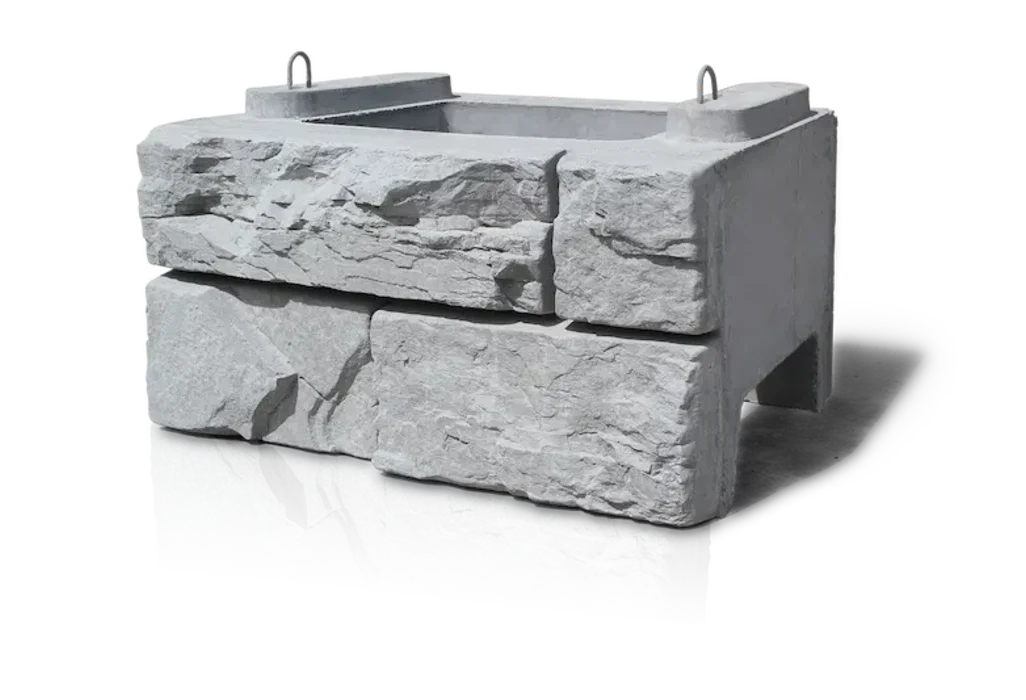
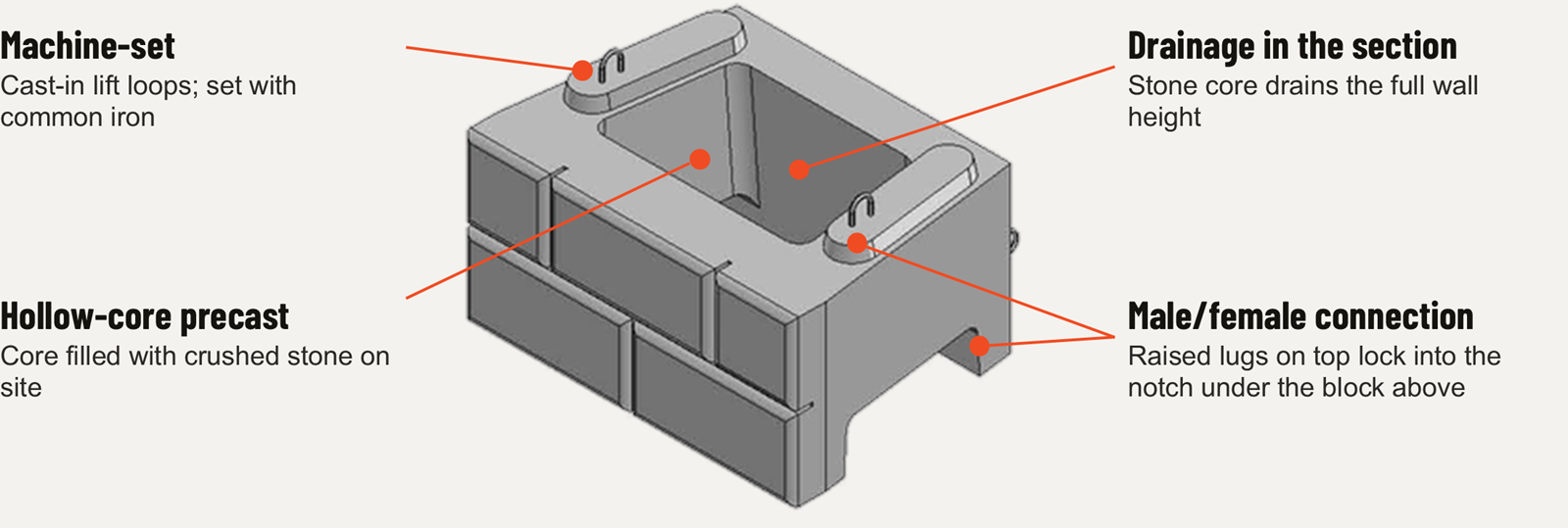
Every program asks for the same handful of numbers: the unit size, the setback per course, the unit weights and the center of gravity. Use the standard unit for most courses and the mass extender rows for deeper base courses.
| Input | Value | Source |
|---|---|---|
| Unit height | 24 in. (half-step units: 12 in.) | BD-01, BD-14 |
| Unit width (face) | 48 in. (half units: 24 in.) | BD-01 |
| Unit depth | 36 in. standard; 48, 60, 72 and 84 in. mass extenders | BD-01, BD-05 |
| Setback per course | 2-3/16 in. (5.2°); 12 in. setback option | Input guide |
| Concrete unit weight | 142 pcf | BD-02 |
| Core fill (crushed stone) | 110 pcf | BD-02 |
| Combined unit weight, standard unit | 126 pcf (about 3,035 lb with fill) | BD-02 |
| Center of gravity, standard unit with fill | 18.14 in., measured from the back of the block | BD-02 |
| Unit | Size | Block, empty | Total with fill | Unit weight | Center of gravity | Sheet |
|---|---|---|---|---|---|---|
| Standard unit | 24 x 48 x 36 | 1,755 lb | 3,035 lb | 126 pcf | 18.14 in. | BD-02 |
| Standard top block | 24 x 48 x 36 | 1,312 lb | 2,248 lb | 127 pcf | 19.33 in. | BD-16 |
| Half block | 24 x 24 x 36 | 1,068 lb | 1,561 lb | 130 pcf | 18.16 in. | BD-03 |
| Corner block | 24 x 48 x 24 | 1,595 lb | 2,103 lb | 131 pcf | 12.07 in. | BD-04 |
| 48 in. mass extender | 24 x 48 x 48 | 2,674 lb | 4,123 lb | 129 pcf | 23.82 in. | BD-06 |
| 60 in. mass extender | 24 x 48 x 60 | 3,509 lb | 5,191 lb | 130 pcf | 29.65 in. | BD-07 |
| 72 in. mass extender | 24 x 48 x 72 | 4,297 lb | 6,261 lb | 130 pcf | 36.01 in. | BD-12 |
| 84 in. mass extender | 24 x 48 x 84 | 5,098 lb | 7,320 lb | 130 pcf | 42.02 in. | BD-10 |
| 48 in. half mass extender | 24 x 24 x 48 | 1,392 lb | 2,074 lb | 130 pcf | 24.26 in. | BD-08 |
| 60 in. half mass extender | 24 x 24 x 60 | 1,661 lb | 2,574 lb | 129 pcf | 30.45 in. | BD-09 |
Half-step units (BD-14) and 2- and 3-sided blocks (BD-13) aren't listed: their sheets give empty weights only. Ask us if your model needs them.
In plain terms A standard Verti-Block filled with crushed stone weighs about 3,035 lb and sits 2-3/16 in. back from the course below. Those two facts do most of the work in a gravity wall model.
Download
Every Verti-Block input in one file
Sizes, setback, weights and centers of gravity for all 10 Verti-Block units with published design data, in US and metric units, with the source sheet for each row. Copy the values straight into your program's block definition.
Setting it up in GEO5
- In Prefab Wall, add Verti-Block as a user-defined block, using the size, unit weight and center of gravity from the inputs above.
- Set the 2-3/16 in. setback per course, and add geogrid layers if the design needs them.
- Check overturning, sliding and bearing, then run global stability in GEO5 Slope Stability.
Setting it up in RSWall
- Go to Wall > Wall Profile > Define Wall Units and add a modular unit.
- Enter the block height, depth, width, unit weight and center of gravity from the inputs above.
- Set the interface shear between courses (constant, linear or bilinear), then run global and compound stability in Slide2.
Setting it up in Vespa
- Enter Verti-Block as a user-input modular block, using the inputs above.
- Import or draw the wall geometry.
- Generate the wall layout, quantities and report.
Or use the free Verti-Block Design Software
Verti-Block publishes its own analysis and design software as a free download for designers and engineers. Per the Verti-Block Design Manual, it:
- Switches between gravity and reinforced design, to NCMA, AASHTO ASD and LRFD, and CAN-CSA methods.
- Has the Verti-Block units and Stratagrid parameters, including geogrid connection strengths, built in.
- Includes seismic design considerations and global stability analysis.
- Converts a plan view into a wall layout, runs section-by-section analysis, and produces take-offs with block counts and geogrid, exportable to CAD.
Start with the download instructions (PDF) and the analysis-mode walkthrough (PDF), or get it from verti-block.com.
What the inputs don't cover
- Interface shear between courses and geogrid connection strength: not in the published input table. They're built into the Verti-Block software; for another program, ask us and we'll get the values for your model.
- Seismic loading: the published Verti-Block height tables don't include it. The seismic coefficient comes from the project's geotechnical report, and the engineer of record runs the seismic check.
- Soil, groundwater and global stability: site-specific. The geotechnical engineer supplies the soil parameters; the wall model is only as good as those inputs.
Full wall geometry for gravity walls is in the gravity wall input guide (PDF), and the block-by-block numbers are in the detail sheets.
Source: Verti-Block block detail sheets BD-01, BD-02, BD-05 to BD-07, BD-10, BD-12 and BD-14; Gravity Wall Geometry input guide; Verti-Crete Design Manual, Release 4.1 (design software, p. 3.19).